How to learn a language with YouTube, without just watching YouTube
YouTube has millions of hours of people speaking your target language about things you already care about, for free. It also has no idea what your level is, quietly translates titles for you, and offers no order to learn anything in. So most people who try it watch a lot and learn little. This method fixes those problems one at a time, using numbers we measured on 140 native Spanish videos.
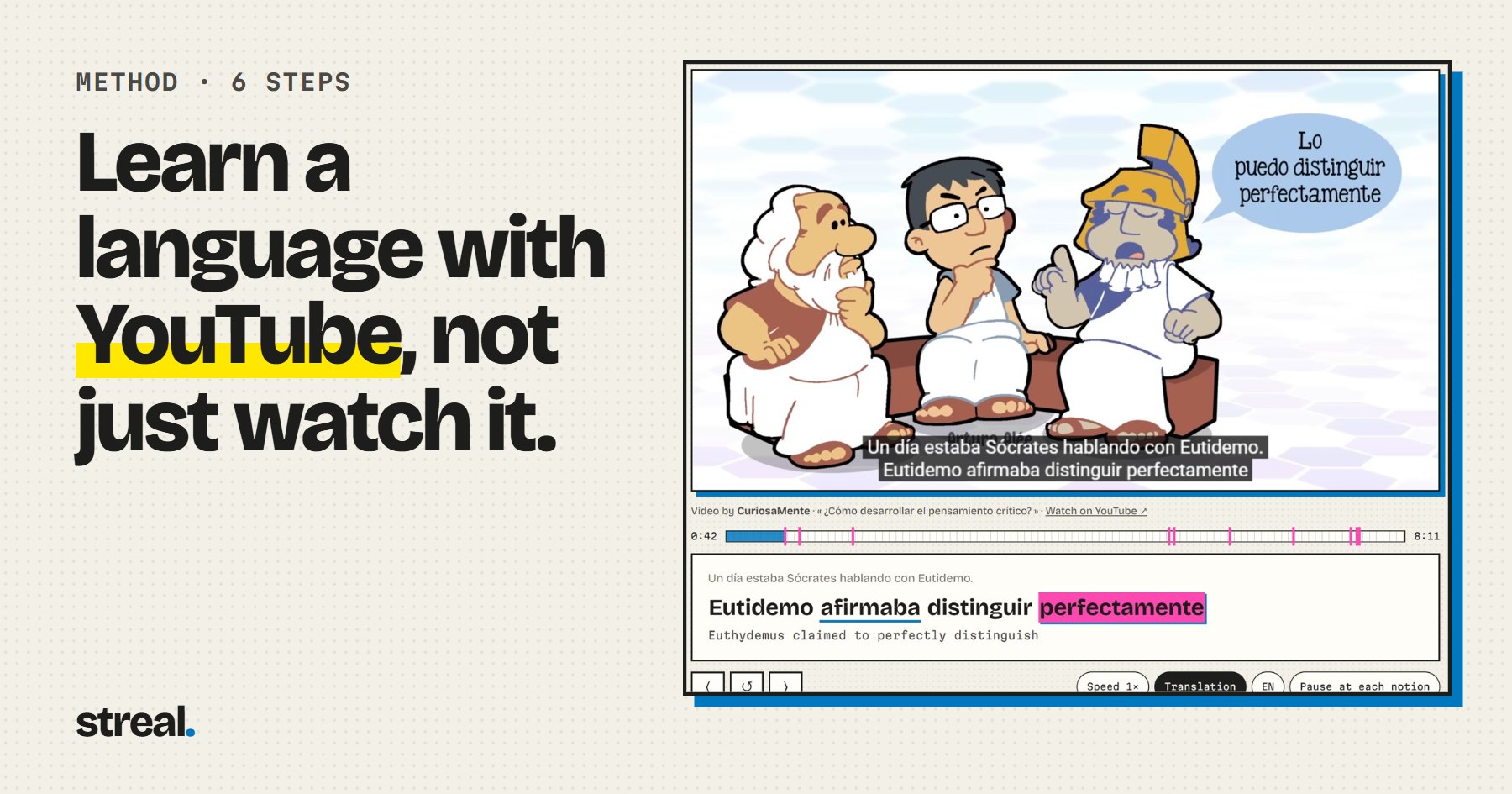
The usual advice on this topic is a list of channels and an instruction to watch them with subtitles. It skips the questions that decide whether a session teaches you anything: how much of this video can I follow, which subtitles should be on, and what do I do when it ends?
Why watching YouTube usually teaches you so little
- Nothing is sorted by level. The algorithm knows what you click on, not what you understand. A cartoon about philosophy and a stand-up set sit side by side in your feed, and they are nowhere near the same difficulty.
- You can follow the story without following the language. Pictures and translated subtitles carry you. It feels like understanding, and your ears did almost none of the work.
- Nothing comes back. Research on learning from television finds that how often a word occurs is one of the things that decides whether it sticks, along with what you already know and whether the word resembles one in your own language (Peters & Webb, 2018). A new video every day is a new set of words every day.
Step 1: Make YouTube show you the real video
YouTube translates titles and descriptions into the language of your interface. The video below is entirely in Spanish. Apart from the words drawn on the video itself, nothing on the page tells you so.
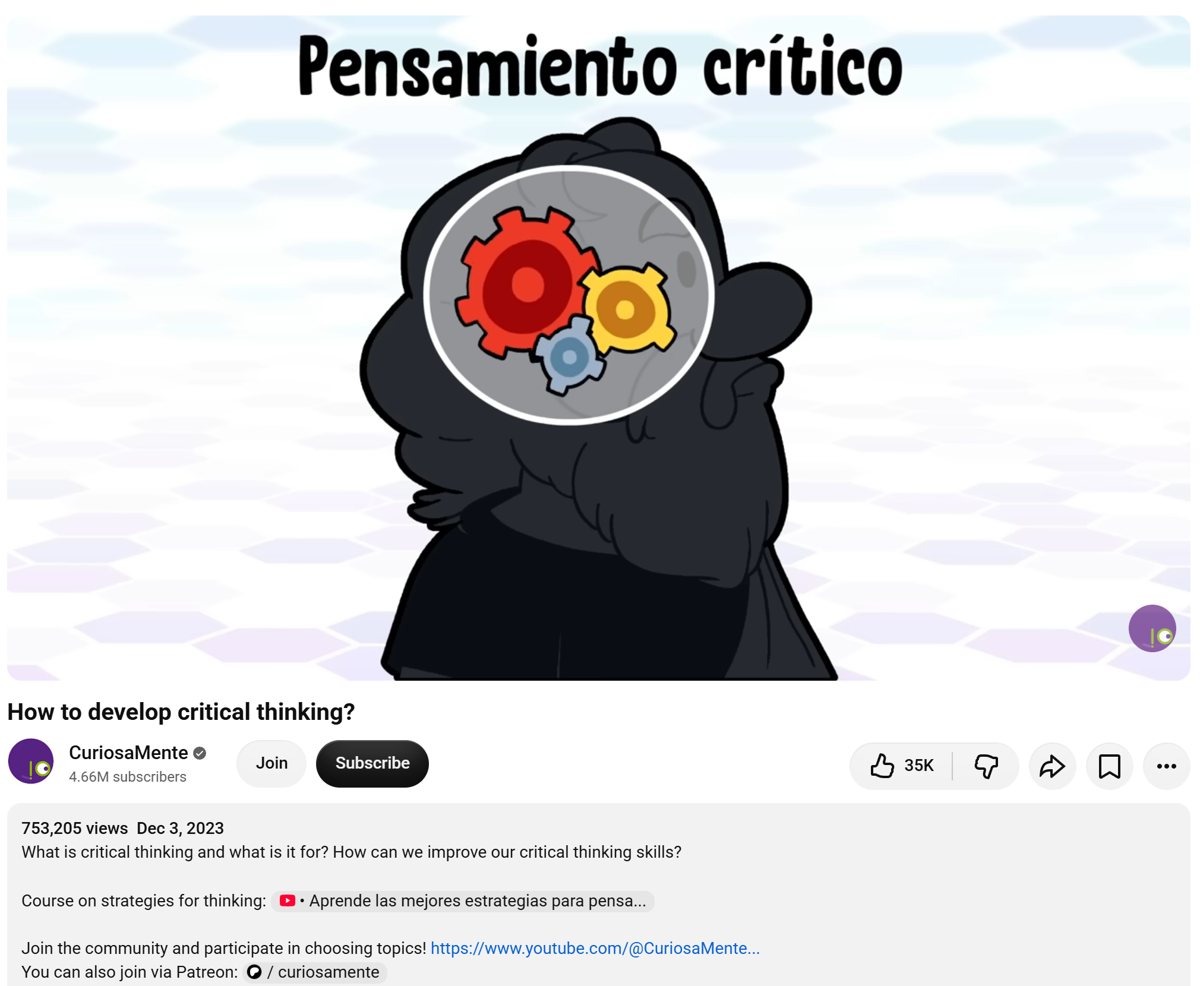
That makes native videos harder to find and easier to mistake for something else. Three fixes:
- Change the interface language. Your profile menu has a Language setting. Set it to the language you are learning, in a separate browser profile if you do not want your whole YouTube to change.
- Search in the language you are learning, about things you already like. Receta de tortilla, historia de Roma, análisis iPhone. Knowing the subject fills in a surprising share of the words you miss.
- Check the audio. Some videos now come with automatic dubbing. If the gear menu offers an audio track, make sure it says “original”.
Step 2: Pick videos you can mostly follow
We analysed 140 Spanish videos by native creators, about 290,000 words in total, and measured how much of what is said falls inside the most common words of the language.
85% sounds comfortable until you run the clock. The median speaker in our sample says about 3.2 words a second, so knowing the 1,000 most common words leaves you an unknown word every two seconds or so. At 3,000 words it is still about one every four seconds. You will know some rarer words too, and cognates help a great deal, but the direction of the math does not change. Research on English puts unassisted comprehension of speech at around 98% of words known (Nation, 2006), and the same arithmetic applies to television.
So do not look for a video you understand entirely. Look for one you can stay inside. Here is a test that takes a minute: watch 30 seconds with no subtitles, pause, and say what it was about. If you get the topic and one detail, it works for you. If you get neither, try something else.
Speed and difficulty are also separate dials, which surprises people. The slowest speakers we measured were often using the hardest words. We plotted that for 140 videos and sorted the results in the best native Spanish channels by speed and vocabulary.
Step 3: Choose your subtitles on purpose
Open the gear menu before you press play. The label on the track tells you what you are getting.
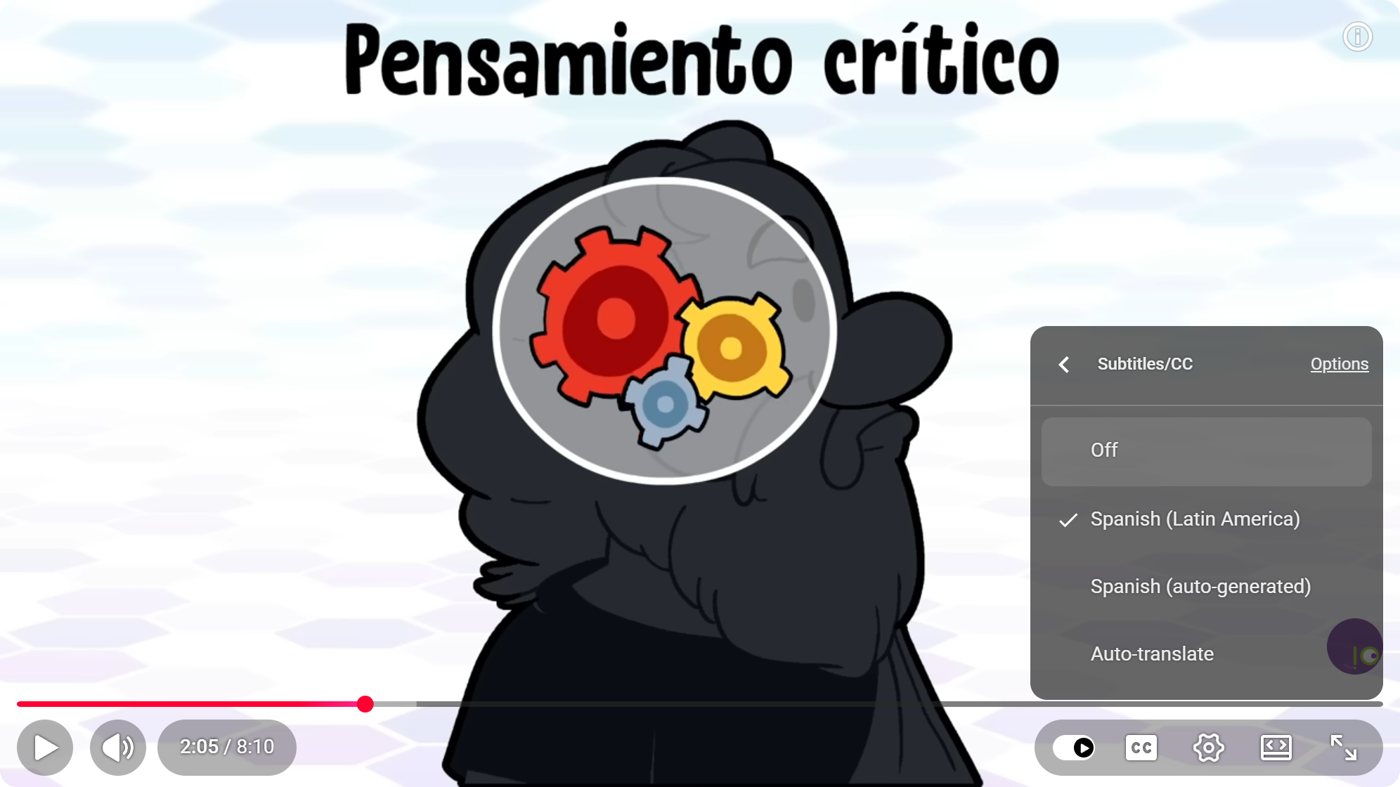
When we lined up the two kinds of track on the same videos, the median video had 96% of its written words in the automatic track as well, and one video in ten stayed under 79%. A mismatch does not prove which track is wrong, and creators’ own tracks contain errors too, but automatic captions are the ones without reliable punctuation, and they stumble on names and fast speech. Follow along with them, and check an odd-looking word in a dictionary before you learn it.
| Your level | Subtitles | What they are doing for you |
|---|---|---|
| A1 to A2 | Both languages at once | Connecting sounds to meaning |
| B1 | Target language, translation on demand | Cutting speech into words |
| B2 | Target language on the second watch only | Checking what your ear caught |
| C1 and up | Off, on for what you missed | Nuance and fast speech |
The evidence for same-language captions is good: a meta-analysis found a positive effect on both listening and vocabulary (Montero Perez et al., 2013). YouTube has no built-in way to show two languages at once. “Auto-translate” replaces the original instead of adding to it, so dual subtitles take a browser extension, which rules out most phones.
Step 4: Slow it down, but stop at 0.75
Spanish on YouTube runs at a median of 194 words a minute while people are talking, and the gap between speakers is close to double. At 0.75× that median becomes 146, almost exactly the pace of the slowest native speaker we measured (142). So 0.75× is not unnatural. It turns an average video into a slow real one. Below 0.75 the sound starts to fall apart and you are training on audio nobody produces.
On a computer, a few keyboard shortcuts cover most of what you need: < and > change the speed, ← jumps back five seconds, and C toggles captions. Pressing ← is a large part of the method.
Step 5: Work a short clip, then come back to it
Twenty minutes on one or two minutes of video beats an hour of watching. It is the only way to get the repetition YouTube does not give you.
- Watch it once straight through, with the subtitles your level calls for. Get the gist.
- Go line by line. Pause on whatever you did not catch. Look up only words that block the meaning or keep coming back, five to seven at most.
- Watch it again with less help. Subtitles off, or down one level. This is when you notice how much your ear has picked up.
- Say three sentences out loud, copying the rhythm. It is uncomfortable and it works, because it is the only part of this list where you produce anything.
- Start tomorrow’s session with today’s clip. One more watch, two minutes, before anything new.
Staying with one channel for a few weeks helps too. Same voice, same habits, same recurring words, and each video gets a little easier than the one before.
Step 6: Add what YouTube cannot give you, an order
Everything so far improves your listening. None of it tells you what to learn next, and grammar you have never met is hard to hear. We counted about 40,000 conjugated verbs across those same videos: two thirds are in the present, and a subjunctive turns up about once a minute. If nobody has shown you the subjunctive, those moments go by as noise, however many hours you watch. This is the wall behind why immersion alone does not work for beginners.
So pair the videos with something ordered, whether that is a textbook, a teacher or an app. Learn a notion on purpose, then go and hear it. The hard part is the second half: finding a video where that exact notion actually comes up, at your level, without spending your study time searching for it.
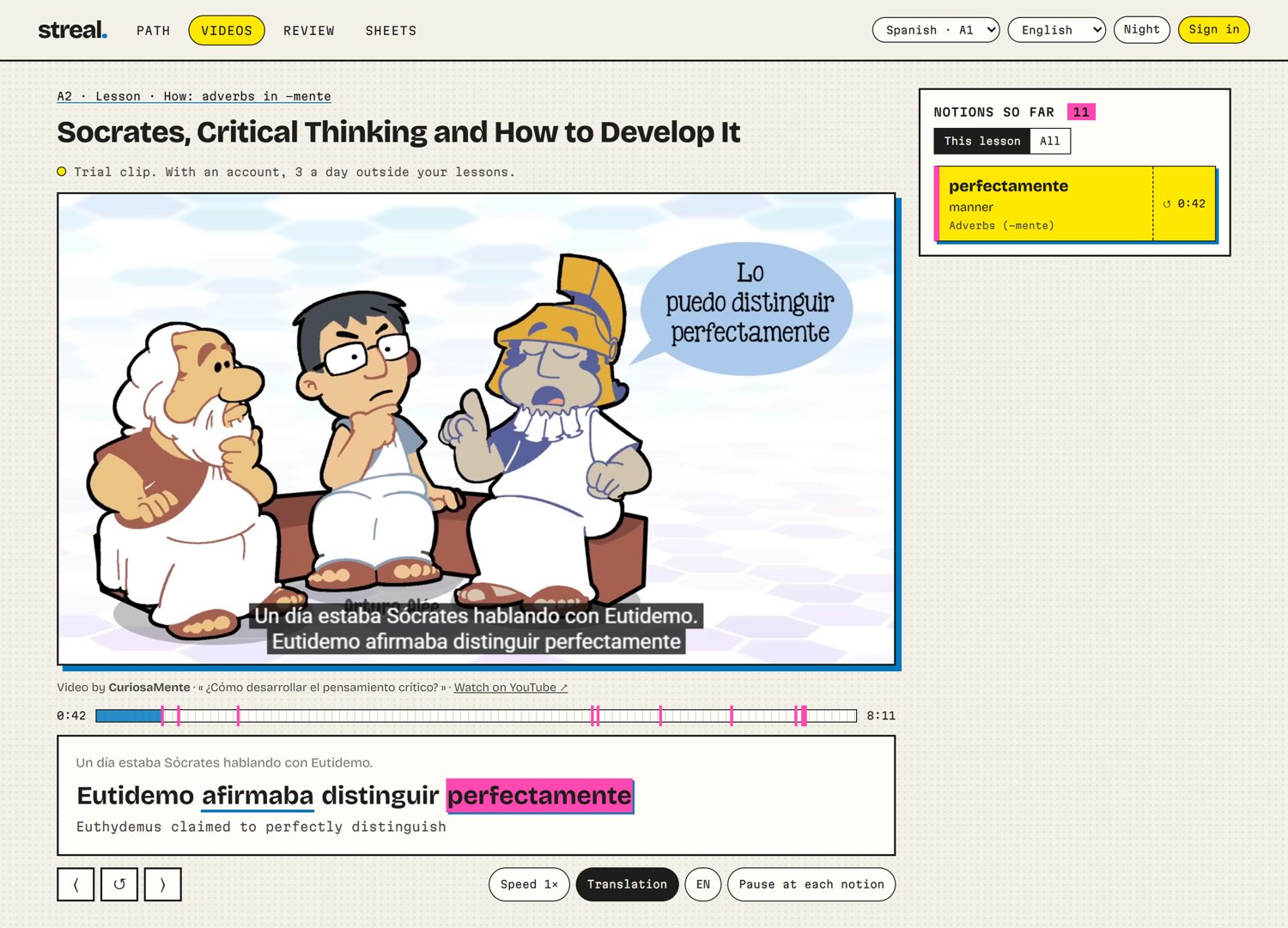
That is the part Streal does
Streal is our product, so weigh this accordingly. It is an ordered course from A1 to C2 in which every lesson comes with YouTube extracts picked in advance because the notion you just learned keeps coming back in them. The subtitles run under the video in both languages, and the notion lights up the second it is said. Spanish is rolling out first, then English and French.
It runs in the browser, on your phone too, and the first lessons need no account.
What to watch at each level
| Level | Length | What works |
|---|---|---|
| A1 | Under 2 minutes | Short clips containing what you just learned. Whole videos are too much for now. |
| A2 | 2 to 5 minutes | Slower speakers with everyday vocabulary: home, food, shopping, travel. |
| B1 | 5 to 15 minutes | Anything on a subject you know well. Vlogs and street interviews get possible here. |
| B2 | Full videos | Explainers and documentaries, for the vocabulary. Interviews, for the speed. |
| C1 and C2 | Anything | Comedy, regional accents, overlapping speakers: the last things to fall into place. |
If you are not sure where you stand, the CEFR levels explained has a self-check for each one, and the A1 to B2 study plan shows how the balance between lessons and real speech shifts as you go up.
Sources: Peters & Webb, Incidental Vocabulary Acquisition Through Viewing L2 Television, Studies in Second Language Acquisition 40(3), 2018; Montero Perez, Van Den Noortgate & Desmet, Captioned Video for L2 Listening and Vocabulary Learning: A Meta-Analysis, System 41(3), 2013; Nation, How Large a Vocabulary Is Needed for Reading and Listening?, 2006. Video figures are our own; the method is described in how we measured.
FAQ
Can you really learn a language just from YouTube?
You can take your listening a long way, and pick up a lot of vocabulary. On its own it will not teach you to speak, and it gives you no order for grammar, so most people need a course or a teacher alongside it, plus real conversation.
What level do I need before native YouTube videos are useful?
Short clips can help from A1 if you have just learned what they contain and you use subtitles in both languages. For whole videos, expect them to get useful around A2 to B1. In our data the 1,000 most common Spanish words cover about 85% of what is said, which still leaves one unknown word every two seconds or so.
Should I use subtitles in my language or in the language I am learning?
Below B1, use both at once if you can. From B1, switch to the language you are learning and check a translation only when you are stuck. Captions in the target language have a well-documented positive effect on both listening and vocabulary.
Are YouTube auto-generated captions good enough for learning?
Good enough to follow along, not good enough to trust. They have no reliable punctuation and they mishear names and fast speech. If a video offers a track without the words “auto-generated”, pick that one, and check any word that looks odd in a dictionary before you learn it.
How long should a YouTube study session be?
Twenty minutes on one or two minutes of video beats an hour of passive watching. Watch the clip, work through it with captions, watch it again without them, and come back to it the next day.